Portfolio Design Tips: How to Showcase Your Work to Land Clients or Jobs

Introduction

A well-crafted portfolio is the cornerstone of a successful graphic design career. Whether you’re a freelance designer, a recent graduate, or a seasoned professional, your portfolio serves as the first impression for potential clients and employers. It demonstrates your skills, creativity, and unique style—helping you stand out in a competitive industry.

In this guide, we’ll cover how to design an effective portfolio, common mistakes to avoid, and actionable tips to showcase your work to attract clients or land your dream job.


Why a Strong Portfolio Matters

Your portfolio is more than just a collection of your work—it’s your professional story. A strong portfolio:

  • Highlights your skills and versatility

  • Demonstrates problem-solving and creativity

  • Establishes your personal brand and style

  • Builds credibility and trust with clients or employers

Remember: quality always trumps quantity. A portfolio with fewer, stronger projects is better than one overloaded with weak examples.


Step 1: Curate Your Best Work

Not every project deserves a place in your portfolio. Select work that:

  • Represents your core skills and strengths

  • Shows a diverse range of styles and mediums

  • Highlights real results or impact (e.g., increased client engagement, brand recognition)

  • Includes personal projects if they demonstrate creativity and initiative

Tip: Aim for 8–15 high-quality pieces—enough to showcase range without overwhelming viewers.


Step 2: Tell a Story for Each Project

Each project should include a mini-case study that explains:

  • The challenge: What problem did the client or project face?

  • Your approach: How did you solve it?

  • The outcome: Results, metrics, or client feedback

  • Skills and tools used: Photoshop, Illustrator, Figma, etc.

This format allows viewers to understand your design thinking and strategic approach, not just the final visuals.


Step 3: Organize Your Portfolio Effectively

A clean, easy-to-navigate structure improves usability:

  • Start with your best project to capture attention immediately

  • Group projects by category (branding, UI/UX, illustration, etc.)

  • Include a short introduction for yourself and your design philosophy

  • Make sure navigation is simple on both desktop and mobile

Tip: Online portfolios should load quickly and be responsive for all devices.


Step 4: Show Your Process

Clients and employers love seeing your design process. Include:

  • Sketches, wireframes, or mood boards

  • Iterations and revisions

  • Before-and-after examples

  • Insights into decision-making

Showing your process proves problem-solving skills and communicates that you are thoughtful, methodical, and professional.


Step 5: Include Testimonials and Results

Adding client feedback or measurable outcomes makes your portfolio more credible:

  • Short quotes from satisfied clients

  • Metrics like social engagement, conversion rates, or project impact

  • Any awards or recognitions received

This social proof reassures prospective clients or employers that you deliver real results.


Step 6: Optimize for Online Visibility

For digital portfolios, SEO matters:

  • Use descriptive file names and alt text for images

  • Include keywords like “graphic designer portfolio,” “UI/UX designer,” “branding design”

  • Write engaging project descriptions

  • Link to your social media or professional profiles (LinkedIn, Behance, Dribbble)

A portfolio that’s discoverable online increases your chances of landing work.


Step 7: Keep It Updated

A portfolio is never “finished.” Regularly:

  • Remove outdated or weaker projects

  • Add new work that reflects your current skills

  • Update testimonials and results

Consistency shows growth and professionalism.


Step 8: Make It Personal

Let your personality shine through:

  • Include a bio with your story and design philosophy

  • Share behind-the-scenes photos or creative habits

  • Maintain a consistent visual style across your portfolio

A personal touch helps clients connect with you beyond your work.


Common Portfolio Mistakes to Avoid

  • Overloading with too many projects

  • Poor navigation or cluttered layouts

  • Low-quality images or screenshots

  • Not explaining your role or contributions

  • Forgetting to update regularly

Avoiding these ensures your portfolio makes a strong professional impression.


Conclusion

A strong graphic design portfolio is your ticket to landing clients or your dream job. By curating your best work, telling compelling stories, showcasing your process, and optimizing for online visibility, you can demonstrate your creativity, skills, and professionalism.

Remember: your portfolio is a living document—keep it polished, updated, and reflective of your unique style.

How to Build a Portfolio That Sells — Not Just Looks Good

Designers often think a portfolio is just a gallery of pretty images. But successful designers know the truth:

👉 A portfolio is not just a display — it’s a sales tool.
A good portfolio gets compliments.
A strategic portfolio gets clients.

Whether you’re a graphic designer, web designer, illustrator, or branding specialist, your portfolio should sell your thinking, not just your visuals.

In this guide, you’ll learn how to build a high-converting portfolio that positions you as a valuable expert — not a commodity.


1. Stop Posting Only Pretty Pictures

Clients don’t buy visuals. They buy outcomes.

Instead of posting only finished designs, include:
✅ The business problem
✅ The goals
✅ The strategy behind the visuals
✅ The solution you created
✅ The results (if available)

Example:

“Logo redesign that increased perceived value & boosted sales by 27% within 90 days.”

That sentence is more powerful than 10 aesthetic mockups.


2. Tell a Story – Use Case Studies

A case study transforms a random design into a business win.

A strong case study structure:

  1. Project overview

  2. Client background

  3. Problem / objective

  4. Process (strategy + design decisions)

  5. Final result

  6. Outcome (metrics, testimonials, feedback)

Even if you don’t have numbers, focus on impact.


3. Showcase the Right Work (Not All Work)

Your portfolio is not a storage space.

❌ Don’t include every project you’ve ever done
❌ Don’t include student projects unless they meet professional standards

✔ Only include work that represents the type of clients you want to attract
✔ Aim for quality over quantity (6 great projects > 20 mediocre ones)


4. Speak the Language of Clients, Not Designers

Clients don’t care about:
❌ kerning
❌ color theory
❌ grids
❌ your experimental typography

Clients care about:
✔ sales
✔ conversions
✔ branding
✔ customer experience
✔ credibility

Use business-focused language.


5. Add Social Proof

People trust people.

Add:
✔ testimonials
✔ reviews
✔ recognitions or awards
✔ screenshots of client messages
✔ case study results

Social proof reduces risk and increases trust.


6. Include a Clear Call-to-Action

Many designers forget this.

After someone views your work, tell them what to do next:
👉 Book a call
👉 Fill out an inquiry form
👉 Download pricing
👉 Follow on social media

Your portfolio should guide the client to take action.


7. Make It Easy to Navigate

A confusing portfolio = lost client

Use:

  • Clean layout

  • Clear categories

  • No endless scrolling

  • Mobile-responsive design

The more friction, the fewer conversions.


8. Add Personality + Brand

Many portfolios look the same.

Stand out by including:
✔ A brand voice
✔ Design style consistency
✔ A personal introduction (video works great)
✔ Your process and values

People don’t hire portfolios — they hire people.


9. Use Multiple Formats

Your portfolio can exist as:

  • Website

  • PDF portfolio

  • Notion portfolio

  • Behance

  • Dribbble

  • Instagram highlights

  • Slide deck

A website is ideal, but having multiple formats helps you share quickly when needed.


10. Keep It Updated

A good portfolio evolves.

Update it:
✔ Every 3–6 months
✔ When you complete a major project
✔ When your positioning changes
✔ When you level up

Your portfolio should grow as you grow.


Final Takeaway

A portfolio doesn’t need to be beautiful — it needs to be effective.

A portfolio that sells:
🔥 Shows the value behind the design
🔥 Highlights strategy and outcomes
🔥 Is clear, intentional, and persuasive
🔥 Talks to clients, not designers
🔥 Positions you as an expert, not a pixel pusher

Design with purpose → Present with clarity → Sell with confidence


⭐ Want a shortcut?

I can help you:
🔹 Create case studies based on your work
🔹 Rewrite your portfolio text to sell better
🔹 Build a portfolio structure with strategic UX
🔹 Audit your existing portfolio and fix it

Just say the word. 👇

Can Designers Still Make Money in Today’s Digital Era?

With AI tools, ready-made templates, and endless competition online, many wonder:
“Can designers still make real money today?”

The short answer is yes — absolutely.
But the way designers earn has changed.
It’s no longer just about being creative; it’s about being strategic, adaptable, and visible.

Let’s explore how modern designers can thrive (and profit) in 2025.


1. The Design Industry Isn’t Dying — It’s Evolving

While AI tools like Canva or Midjourney make design faster, they don’t replace creativity — they amplify it.
Clients may use AI for simple graphics, but when it comes to branding, storytelling, and emotional connection, they still need human designers.

🧠 Designers who adapt — those who learn to combine creativity with tools — are earning more, not less.

💬 “AI can generate images, but it can’t understand meaning, emotion, or strategy. That’s where designers win.”


2. Designers Are Expanding Into New Niches

Today’s successful designers don’t just sell logos or posters.
They branch into multiple income streams:

  • Brand design & identity systems

  • UI/UX and product design

  • Template & digital asset sales (on marketplaces like Creative Market or Gumroad)

  • Online courses & tutorials

  • Freelance + agency collaborations

💡 Pro Tip: The most profitable designers in 2025 mix services (client work) with products (digital downloads, presets, templates).


3. The Rise of Personal Branding

In the past, you needed an agency name to look credible.
Now, your name is your brand.

Designers who share their work on Instagram, Behance, Dribbble, or LinkedIn build an audience — and that audience becomes their market.

✅ Show your process.
✅ Share before/after projects.
✅ Teach what you know.

People don’t just buy your design — they buy you as a creator.


4. AI Is a Tool, Not an Enemy

The designers who fear AI often haven’t used it strategically.
AI can handle the boring parts — resizing, layout experiments, or color testing — freeing you up to focus on creative direction.

Try using:

  • ChatGPT / Notion AI – for writing creative briefs.

  • Midjourney / Leonardo AI – for moodboards and concepts.

  • Runway / Fotor – for background removal or mockups.

🤖 Smart designers use AI to speed up workflow, not replace their originality.


5. Clients Still Pay for Expertise, Not Just Design

Everyone can make a “pretty picture,” but few can solve business problems through design.
If you can explain why your design works — how it improves conversions, brand trust, or user experience — clients will pay premium rates.

🧩 Example:
Instead of selling “a logo,” sell “a visual identity that builds brand recognition.”
That’s a value shift — and it’s where money still flows.


6. Freelancing Isn’t the Only Way Anymore

Designers today can earn from multiple paths:

  • Freelance projects

  • Passive income (Etsy, Creative Fabrica, Envato)

  • Full-time or remote design jobs

  • Consulting and mentoring

🌍 The global market is huge. You can work with clients from the U.S., Europe, or Asia — all from your laptop.


7. Community and Collaboration Matter More Than Ever

In 2025, isolation kills creativity.
The best designers grow faster by joining online communities — on Discord, Behance Groups, or Facebook Design Circles.

Collaborations often lead to:

  • New clients

  • Joint projects

  • Co-created products

💬 “When you connect, you expand — not just your network, but your opportunities.”


Conclusion

So, can designers still make money today?
Absolutely.
But not by doing the same things they did five years ago.

Design in 2025 is about adapting, marketing yourself, and creating value beyond visuals.
If you stay curious, keep learning, and share your journey — opportunities will come your way.

🎨 The tools have changed, but the demand for creativity never disappears.

5 Freelance Mistakes That Stop Designers from Growing (and How to Fix Them)

Being a freelance designer sounds like a dream — flexible schedule, creative freedom, and the ability to choose your own clients.
But many designers hit a wall after a few years. The reason? Small but costly mistakes that quietly stop their growth.

If you’ve ever felt stuck, underpaid, or creatively drained, this article will help you spot what’s holding you back — and fix it.


1. Undervaluing Your Work

One of the most common traps freelancers fall into is charging too little.
Many designers think offering low prices will attract more clients — but it usually does the opposite. It signals that you lack confidence or quality.

Why it hurts you:

  • You end up overworked and underpaid.

  • You attract clients who value price over quality.

  • It limits your ability to invest in better tools and education.

How to fix it:

  • Research market rates for your niche.

  • Set your price based on value, not hours.

  • Communicate clearly what clients get from your design work — not just “a logo,” but “a visual identity that boosts recognition and trust.”


2. Ignoring Personal Branding

Clients don’t just buy your design — they buy you.
If your personal brand isn’t clear, clients won’t know what makes you different from thousands of other freelancers.

Why it hurts you:

  • Harder to stand out in a crowded market.

  • Clients may not see you as a specialist.

  • You miss out on organic opportunities and referrals.

How to fix it:

  • Define your niche (e.g., minimalist branding, UI for startups, etc.).

  • Maintain a consistent style and tone across social media, portfolio, and email.

  • Share your process, not just your final designs — it builds trust and authority.


3. Poor Communication with Clients

Even great design can’t save a project ruined by miscommunication.
Unclear expectations, vague timelines, or lack of updates can turn happy clients into frustrated ones.

Why it hurts you:

  • Leads to revisions and scope creep.

  • Damages your reputation and chances of referrals.

How to fix it:

  • Always start with a clear brief and contract.

  • Update clients regularly — don’t wait until the deadline.

  • Learn to say no politely and set boundaries early.

🗣️ Pro Tip: Great communication = fewer revisions + more repeat clients.


4. Not Building a Sustainable Workflow

Many freelancers treat every project as a fresh start.
While creativity thrives on variety, inconsistency in workflow leads to burnout and inefficiency.

Why it hurts you:

  • Wastes time setting up each project from scratch.

  • Creates disorganized files and missed deadlines.

How to fix it:

  • Create templates for proposals, contracts, and invoices.

  • Use project management tools like Notion, Trello, or ClickUp.

  • Build a routine that balances creative time and admin work.

Remember: Consistency = scalability.


5. Neglecting Marketing and Networking

The biggest mistake freelancers make?
They stop marketing once they get a few clients.

Why it hurts you:

  • When projects end, your income stops.

  • You lose visibility in the competitive design market.

How to fix it:

  • Share your work consistently (LinkedIn, Instagram, Behance).

  • Build relationships — not just connections.

  • Ask satisfied clients for testimonials and referrals.

  • Keep learning new tools and trends to stay relevant.

💡 Even one hour a week spent on marketing can double your opportunities.


Final Thoughts

Success as a freelance designer isn’t just about design skills — it’s about strategy, communication, and self-awareness.

Avoid these five mistakes, and you’ll not only grow your freelance career but also build a brand that clients respect and remember.
You’re not just designing visuals — you’re designing your future.

Behance vs. Dribbble: Which Platform Is Better for Your Design Career?

If you’re a designer looking to grow your career, one of the first questions you’ll face is:
Should I showcase my work on Behance or Dribbble?

Both platforms are giants in the design community — but they serve different purposes.
Choosing the right one could be the difference between getting noticed by clients or blending into the crowd.

Let’s break down the pros, cons, and ideal use cases for each platform so you can make the right choice.


1. Behance: The Portfolio Powerhouse

Behance, owned by Adobe, is more than just a social network for designers — it’s a complete portfolio platform where creatives can upload full projects, case studies, and process breakdowns.

Best for:

  • Designers who want to show detailed project presentations

  • Freelancers or studios seeking clients through search visibility

  • Creatives who value storytelling and full design context

Strengths:

  • Supports long-form project documentation (great for branding or UX/UI).

  • Integrated with Adobe Creative Cloud.

  • High SEO ranking — projects can appear in Google search results.

  • Great for professional credibility and art direction exposure.

Weaknesses:

  • The engagement system (appreciations) can feel slow.

  • The community leans more toward showcasing finished works than quick feedback loops.

Pro Tip:
Use Behance like an online portfolio website — complete with visuals, text, and results. Add process images, sketches, and real-world impact to make your work stand out.


2. Dribbble: The Creative Snapshot Platform

Dribbble started as a platform for designers to share “shots” — small previews or snippets of ongoing work.
It’s evolved into a thriving community for inspiration, networking, and jobs — but still focuses heavily on visuals over long-form projects.

Best for:

  • Designers who want quick exposure and engagement.

  • UI/UX, branding, and motion designers who thrive on visual aesthetics.

  • Freelancers who want to connect with recruiters or design agencies.

Strengths:

  • Instant visual engagement — perfect for creative teasers.

  • Built-in job board and freelance project listings.

  • Easy to grow followers and build a community.

Weaknesses:

  • Doesn’t support in-depth project storytelling.

  • Algorithm-driven visibility — harder to control how your work appears.

  • Less SEO visibility compared to Behance.

Pro Tip:
Think of Dribbble as your creative showcase and networking tool, while Behance is your formal portfolio.


3. Head-to-Head Comparison

FeatureBehanceDribbble
Project DepthFull case studies & process detailsShort visual previews
Community FocusProfessional & artisticSocial & fast-paced
SEO VisibilityVery high (Google indexed)Limited
Best ForBuilding credibility & detailed portfoliosGaining quick attention & clients
Job OpportunitiesIntegrated Adobe job listingsDedicated freelance/job boards
Ideal UserBranding, UX/UI, and art direction designersVisual, motion, and app designers

4. The Winning Strategy: Use Both Wisely

Here’s the truth:
You don’t have to choose just one.

  • Use Behance for your full projects, case studies, and long-term portfolio.

  • Use Dribbble to tease visuals, get quick feedback, and drive traffic back to your Behance profile.

This dual-platform strategy gives you both credibility and visibility.
You get discovered by recruiters who value depth — and admired by peers who love visual flair.


5. Final Verdict

So, which platform is better?
It depends on your career goals:

  • If you want visibility and quick engagement → Start with Dribbble.

  • If you want professional recognition and long-term clients → Focus on Behance.

  • For the best results → Use both strategically.

At the end of the day, your platform matters — but your creativity, consistency, and presentation matter more.

How to Communicate Better with Clients as a Designer

Introduction
Being a great designer isn’t just about creating stunning visuals — it’s also about how well you communicate with your clients.

Many talented designers lose projects, not because of poor design skills, but because of miscommunication. Whether it’s unclear expectations, delayed feedback, or misunderstood revisions, communication can make or break a client relationship.

So, how can you improve your client communication and build stronger, more professional partnerships? Let’s dive into strategies that every designer — from freelancers to agency pros — should master.


1. Understand Your Client’s Vision Before You Design

Before starting any project, make sure you fully understand what the client wants — and sometimes, what they don’t know they want.

Ask clear, open-ended questions like:

  • “What is the main goal of this project?”

  • “Who is your target audience?”

  • “What emotions do you want your brand to evoke?”

💡 Pro tip: Use a short creative brief or onboarding questionnaire. It helps align expectations early and avoids endless revisions later.


2. Communicate Professionally and Consistently

Clients appreciate designers who are clear, polite, and consistent in their communication.

Here are some habits to build trust:

  • Reply within 24 hours.

  • Use simple, professional language.

  • Summarize meetings or calls with a short recap email.

  • Set clear timelines for each stage of the project.

💬 Think of communication as part of your brand. The more professional you sound, the more confident clients will feel in your work.


3. Set Boundaries and Manage Expectations

One of the biggest mistakes designers make is saying yes to everything.

Be transparent about:

  • Your availability and working hours.

  • How many revisions are included in your pricing.

  • What counts as “scope creep” (extra work outside the agreement).

By setting boundaries from the start, you prevent frustration later — for both you and your client.

💡 Pro tip: Include a “communication policy” in your contract to define timelines and revision limits clearly.


4. Learn to Listen — Really Listen

Good communication isn’t about talking; it’s about listening actively.

When clients share feedback, avoid jumping to defend your design. Instead, listen, take notes, and clarify what they really mean.

For example:
Instead of “I don’t like this color,” ask “Can you tell me what kind of emotion or tone you’d like this color to convey?”

That small shift turns criticism into collaboration.


5. Translate Design Language into Business Language

Clients often don’t understand design jargon — and that’s okay. It’s your job to explain your choices in a way that connects to their business goals.

For example:
Instead of saying, “This logo uses complementary color balance,”
try saying, “These colors help your brand feel more energetic and modern to younger audiences.”

When clients see that your design decisions align with their goals, they trust your expertise.


6. Handle Feedback Gracefully

Every designer gets tough feedback at some point. What separates professionals from amateurs is how they handle it.

Here’s how:

  • Stay calm and avoid taking it personally.

  • Ask clarifying questions to understand the reason behind the feedback.

  • Offer solutions instead of just agreeing or disagreeing.

💡 Example:
Instead of “That won’t work,” say “I see your point — here’s another approach that could achieve the same goal.”


7. Use Collaboration Tools Wisely

Using the right tools makes communication smoother and more transparent.

Here are a few popular ones:

  • Slack or Discord: Real-time discussions

  • Trello or Asana: Task tracking and deadlines

  • Figma or Adobe XD: Real-time design feedback

  • Loom: Record video explanations instead of long messages

These tools save time, reduce misunderstandings, and create a professional workflow that clients appreciate.


8. Be Honest and Transparent About Mistakes

Even the best designers make mistakes — and that’s okay. What matters is how you handle them.

If something goes wrong, communicate it early and offer a solution. Clients value honesty over perfection.
Owning your mistakes builds long-term trust and shows that you’re reliable and responsible.


9. Keep the Relationship Alive After the Project Ends

Good designers deliver files.
Great designers deliver relationships.

Send a follow-up message after the project:

  • Ask if they’re satisfied with the result.

  • Offer help with future updates or maintenance.

  • Thank them for trusting you.

Small gestures like this turn one-time clients into loyal, returning partners.


Conclusion

Communication is the invisible skill that defines successful designers.

When you learn to listen, clarify, and express ideas clearly, you don’t just make better designs — you build stronger partnerships, gain repeat clients, and grow your reputation.

Remember: Design solves problems, and good communication makes sure those problems are understood.

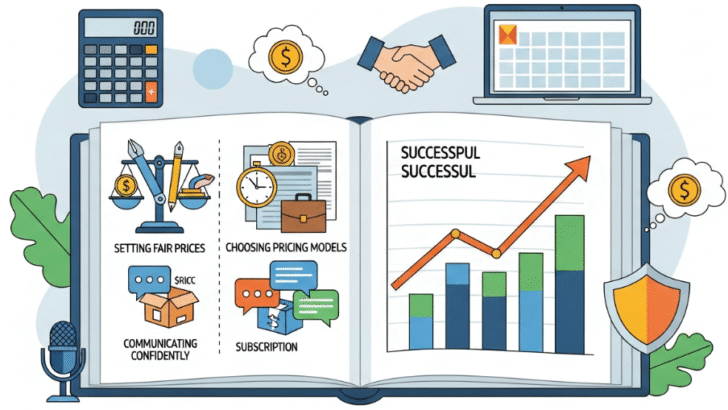
How to Price Your Design Work Fairly as a Freelancer

Introduction
Pricing your design work can be one of the hardest parts of freelancing.
You don’t want to charge too little and feel undervalued — but you also don’t want to scare clients away.

Finding that “fair price” is not about guessing; it’s about understanding your value, your market, and your goals.

In this guide, we’ll walk through how to price your design services confidently and fairly — without underselling yourself.


1. Know Your Worth
Your design skills are not just about how long you’ve worked — they’re about the value you bring.
Clients don’t just pay for hours; they pay for impact.

Ask yourself:

  • How experienced am I in solving design problems?

  • How much business value does my work create for clients?

  • How unique is my style or approach?

💡 Tip: Keep track of the results your designs bring (like higher sales or engagement). Those become proof of your worth.


2. Understand Different Pricing Models
There’s no single “right” way to charge for design work.
Here are three common pricing models to consider:

Hourly Rate:
You charge based on the number of hours worked.
Good for short-term projects, but not always ideal if your speed improves over time.

Fixed Project Rate:
You set one price for the entire project.
Best for experienced freelancers who know how long tasks take.

Value-Based Pricing:
You price based on the value your design delivers.
For example, if your logo design helps a business make $10,000 more in sales, charging $1,000–$2,000 is fair.


3. Research Market Rates
Do some research before sending a quote.
Sites like Upwork, Dribbble, and Glassdoor show what designers with similar experience charge.

💡 Pro tip: Don’t copy others’ rates blindly. Adjust based on:

  • Your experience level

  • Client’s budget range

  • Project complexity

  • Your country or region

This helps you stay competitive while still being fair to yourself.


4. Don’t Be Afraid to Say Your Price
Confidence matters.
If you hesitate when saying your price, clients might doubt your value.

Try this simple script:

“For a project like this, my rate is $___, which includes [briefly mention deliverables].”

Then pause — and let them respond.

Remember: Professional clients respect clarity, not discounts.


5. Offer Pricing Packages
Instead of giving just one rate, create three packages:

  • Basic (for small budgets)

  • Standard (your ideal offer)

  • Premium (for clients who want full service)

This gives clients choice while positioning your “standard” package as the best value.


6. Review Your Rates Regularly
Your skills grow — your prices should too.
Review your pricing every 6–12 months.

If your work is faster, higher quality, or in demand, it’s time to raise your rates.

💬 Remember: Clients pay for value, not time.


Conclusion
Pricing design work fairly is about balance — respecting both your client and your craft.
Be transparent, stay confident, and remember: you’re not just selling design, you’re selling results.

As you gain experience, you’ll find that clients who value quality will never question fair pricing.